TOP Free Proxy List


HTTP vs HTTPS vs SOCKS4 vs SOCKS5: Which Proxy Protocol Should You Choose?
Published 18/08/2026 · Updated 10/10/2026
Every proxy on a list like this one is tagged with a protocol — HTTP, HTTPS, SOCKS4, or SOCKS5 — and picking the wrong one for a given task is the single most common reason a "working" proxy doesn't actually do what you need. This article goes deeper than a quick definition: for each protocol, we'll cover what it actually supports, where it falls short, how it performs, and when it's the right call.
The short version
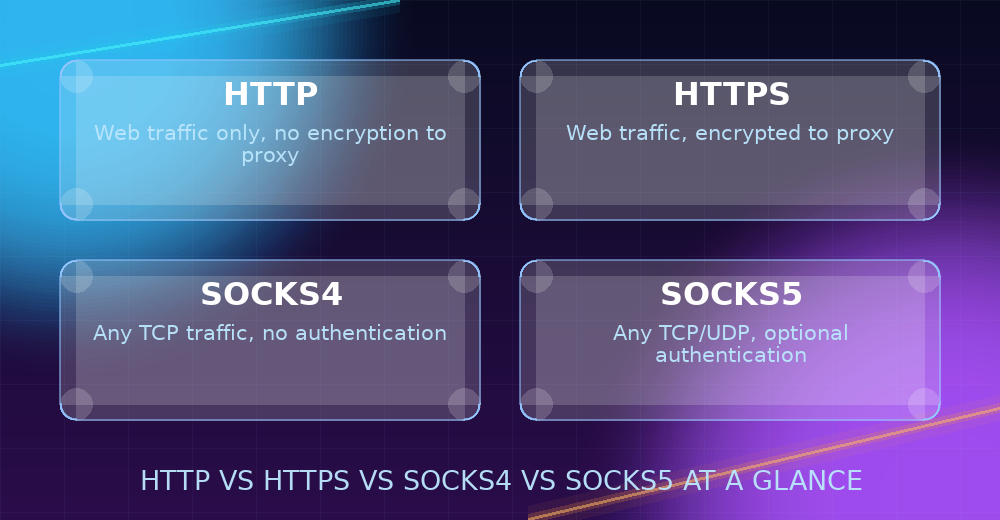
HTTP and HTTPS proxies are purpose-built for web traffic and are what almost every browser, scraper, and automation tool expects by default. SOCKS4 and SOCKS5 work at a lower level, relaying any TCP connection rather than just web requests, which makes them the better fit for non-browser applications. SOCKS5 is the most capable of the four, adding authentication and UDP support on top of SOCKS4. If you only remember one thing from this article, it's that: web browsing → HTTP/HTTPS, everything else → SOCKS.
A quick technical primer: where each protocol operates
HTTP and HTTPS proxies work at the application layer — they specifically understand the structure of an HTTP request (method, headers, body) and can inspect or route based on it. SOCKS, by contrast, operates lower down, closer to the raw transport layer: it doesn't know or care whether the bytes it's relaying are a web page, an FTP transfer, or a game server handshake. That single architectural difference explains almost every practical distinction between the two families — HTTP/HTTPS proxies are smarter about web traffic specifically, while SOCKS proxies are dumber but far more general-purpose.
HTTP proxies, in detail
An HTTP proxy understands the HTTP protocol specifically — it parses the request, can inspect and sometimes modify headers, and knows how to relay a response back. Because of that native understanding, HTTP proxies are the most universally supported proxy type: if a tool's configuration just says "proxy" with no protocol dropdown, it's almost always expecting HTTP.
Strengths: Maximum compatibility, simple to configure, well suited to browsing and most scraping tools, and typically the largest pool of available servers on any free proxy list.
Limitations: The connection between you and the proxy isn't necessarily encrypted, and it's built for web traffic specifically — not a general-purpose TCP relay. Some HTTP proxies also don't support the CONNECT method needed to tunnel HTTPS destination sites, so they can be limited to plain-HTTP destinations only.
HTTPS proxies, in detail
An HTTPS proxy is functionally an HTTP proxy with TLS encryption added to the leg between your device and the proxy server. It doesn't change how the proxy talks to the destination site — that's still governed by whatever protocol the destination itself uses — but it does mean that first hop is encrypted, which matters on networks where that traffic could otherwise be observed.
Strengths: Same broad compatibility as HTTP, plus an encrypted connection to the proxy itself, and (on a curated list) confirmation that CONNECT tunneling to HTTPS destinations has actually been verified to work.
Limitations: Slightly less universally supported than plain HTTP in older or more minimal tools; still fundamentally a web-traffic protocol, not a general TCP relay.
SOCKS4 proxies, in detail
SOCKS steps back from understanding web traffic specifically and instead just relays TCP connections generically — the proxy doesn't parse or care what's inside the connection, it just forwards bytes back and forth. That makes SOCKS4 usable for applications that have nothing to do with a browser: FTP clients, chat protocols, or any custom TCP-based tool.
Strengths: Works with practically any TCP-based application, not just web traffic; simple protocol with low overhead.
Limitations: No built-in authentication (treat the proxy itself as untrusted infrastructure), and no UDP support — anything relying on UDP will need SOCKS5 instead.
SOCKS5 proxies, in detail
SOCKS5 is the direct successor to SOCKS4, adding two capabilities: optional username/password authentication, and support for UDP traffic in addition to TCP. UDP matters for things like DNS lookups, some VoIP and game traffic, and other protocols that don't use standard TCP connections. If an application specifically requires SOCKS5 rather than SOCKS4, it's almost always because of one of those two additions.
Strengths: The most capable of the four — broadest protocol support, optional authentication, UDP support.
Limitations: Slightly less commonly available on free lists than HTTP, simply because it's a smaller subset of servers configured to support it — but growing, and worth specifically filtering for when a task needs its extra capabilities.
Performance differences between the protocols
Protocol choice affects overhead more than raw throughput. SOCKS proxies, because they don't parse application-layer content, typically add slightly less processing overhead per connection than HTTP/HTTPS proxies — but in practice, for free public proxies, the dominant factor in speed is the individual server's own bandwidth, load, and distance from you, not the protocol itself. Two proxies of different protocols sitting on comparable hardware and network paths will usually perform similarly; the response-time figures on this site's proxy list reflect the actual server, not a protocol-level advantage.
Security considerations for each protocol
Protocol choice also affects what a proxy operator can technically see or do, which matters when deciding what kind of traffic is appropriate to send through a free, unverified server.
HTTP: Traffic between you and the proxy is unencrypted at that hop, meaning the proxy operator (or anyone else positioned to observe that connection) could potentially read plain HTTP traffic in transit. This doesn't affect sites you visit over HTTPS end-to-end — that encryption is separate and still applies — but it does mean the proxy itself sees more than an encrypted-to-the-proxy alternative would.
HTTPS: Encrypts the connection to the proxy itself, closing that specific gap. It's the better choice over plain HTTP whenever the traffic passing through it deserves that extra layer, though as with any proxy, the general advice to avoid sensitive logins or payments over an unverified free server still applies — the operator can still see connection metadata (which sites you're reaching) even when the content itself is encrypted.
SOCKS4: Has no authentication mechanism at all, so anyone who discovers the proxy's address and port can use it — you have no way to know who else is sharing it or what they're doing with it. Treat it purely as an IP-relaying convenience, not as private infrastructure.
SOCKS5: Supports optional authentication, which — when a specific proxy actually offers it — at least limits who can use that particular server. Most free SOCKS5 entries don't require authentication in practice, so the same general caution as SOCKS4 usually applies unless you know otherwise.
Across all four, the practical rule is the same: a free, publicly sourced proxy of any protocol should be treated as unverified infrastructure. Use it for tasks like geo-testing, scraping public data, or casual browsing, and avoid routing logins or payment information through any of them regardless of which protocol is in play.
Head-to-head: which one actually matters for your task
Browsing the web or scraping websites
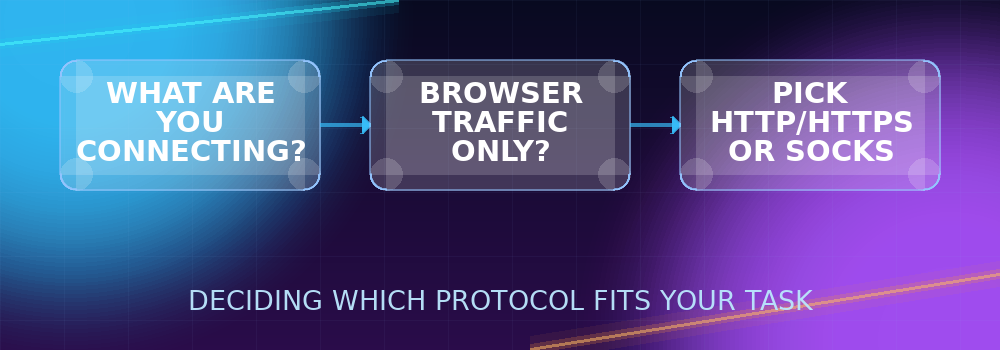
Use HTTP or HTTPS. These protocols are what browsers and virtually every scraping library expect natively, and the compatibility difference is significant enough that there's rarely a reason to reach for SOCKS unless a specific tool requires it.
Using a non-browser application (FTP client, chat app, custom tool)
Use SOCKS4 or SOCKS5. These applications typically open raw TCP connections rather than formatted HTTP requests, and an HTTP proxy won't know what to do with that traffic.
Anything involving UDP (DNS-heavy tools, certain game or VoIP traffic)
SOCKS5 is the only one of the four that supports it — HTTP, HTTPS, and SOCKS4 are all TCP-only.
Sensitive traffic where the proxy connection itself shouldn't be observable
Prefer HTTPS over HTTP (for web traffic) since it encrypts that first hop; SOCKS5 with authentication is the closer equivalent for non-web traffic.
You're not sure which one a specific tool needs
Check the tool's own documentation for its proxy settings — if it only has one "proxy" field with no protocol picker, it's expecting HTTP; if it has a dropdown listing SOCKS4/SOCKS5 as an option, that's your signal it supports (and possibly needs) the lower-level protocol for whatever traffic it generates.
You need to pick between SOCKS4 and SOCKS5 specifically
Default to SOCKS5 unless something forces SOCKS4 specifically. SOCKS5 does everything SOCKS4 does plus authentication and UDP, so there's rarely a downside to preferring it — the only common reason to pick SOCKS4 instead is that a particular free proxy simply doesn't offer a SOCKS5 option, or an older tool only implements the SOCKS4 spec.
Filtering by protocol on this site
Every entry in the free proxy list is tagged with its protocol, and the filter bar lets you narrow the list down to exactly HTTP, HTTPS, SOCKS4, or SOCKS5. There are also dedicated pages for each protocol — for example the SOCKS5 proxy list — if you know exactly which type you need. Whichever you land on, it's worth a quick pass through the Proxy Checker before relying on it, since availability shifts constantly for any free proxy source. For a broader introduction to proxies before diving into protocol specifics, see What Is a Proxy Server? A Complete Guide to Proxy Types.