TOP Free Proxy List


How to Check If a Proxy Is Working (and Why It Stops Working)
Published 22/08/2026 · Updated 11/10/2026
A proxy that worked yesterday can be completely dead today — that's simply the nature of free, publicly sourced proxy servers. Rather than discovering that mid-task, it's worth understanding why proxies stop working, what uptime and response time numbers actually mean, and how to confirm a proxy is actually alive before you depend on it. This article covers all three.
Why proxies stop working
Free proxies typically run on shared, unmanaged, or repurposed infrastructure with no service agreement behind them, so there are several ordinary reasons a working proxy can go dead:
- The server goes offline. Whoever operates it takes it down, it crashes, or its hosting simply expires.
- It gets overloaded. Free proxies are shared by everyone who finds them, and too many simultaneous users can make one time out or refuse new connections.
- It gets reassigned or reconfigured. The IP might get repurposed for something else entirely, closing the port that was acting as a proxy.
- It starts blocking automated checks. Some proxies are configured to reject traffic that looks like a bot or scanner, which can make an otherwise-working proxy appear dead to a checker.
- The destination site starts blocking it specifically. A proxy can be perfectly reachable in general while a particular website has blacklisted its IP after detecting unusual traffic from it.
None of this means free proxies are unreliable in general — it means any individual one has a limited and unpredictable lifespan, which is exactly why this site's list replaces itself every 15 minutes instead of showing a static snapshot.
Signs a proxy isn't working
Before reaching for a dedicated checker, a few symptoms are worth recognizing on their own:
- Pages time out or never finish loading through the proxy.
- Connections are refused immediately rather than timing out.
- The response comes back but doesn't look like it went through a proxy at all (your real IP is exposed).
- It works intermittently — sometimes connecting, sometimes not — which usually indicates an overloaded rather than fully dead server.
- Requests succeed but come back unusually slowly compared to normal browsing, suggesting the server is under heavy load from other users.
What uptime and response time actually measure
On this site's proxy list, every entry shows two live metrics that are worth understanding before you rely on them. Uptime is the percentage of recent checks where that proxy successfully responded — a proxy sitting at 90% has been reliable recently, while one at 20% has been failing far more often than it succeeds. Response time is how long, in milliseconds, the most recent successful connection took — lower is faster. The list's default "Fastest response" sort doesn't purely chase the lowest response time; it groups healthy-uptime proxies (green or amber) ahead of unreliable ones first, and only then sorts by speed within that group, since a blazing-fast proxy that fails half the time isn't actually a good pick.
How to check a proxy manually
The simplest manual test is configuring the proxy in your browser (see How to Set Up a Proxy on PC and Mobile) and visiting an IP-lookup site — if the location and IP shown match the proxy rather than your own connection, it's working. This is fine for checking a single proxy, but it's slow and entirely manual if you have more than one or two to test, and it doesn't give you a response-time figure to compare candidates by.
How to check proxies in bulk with a Proxy Checker
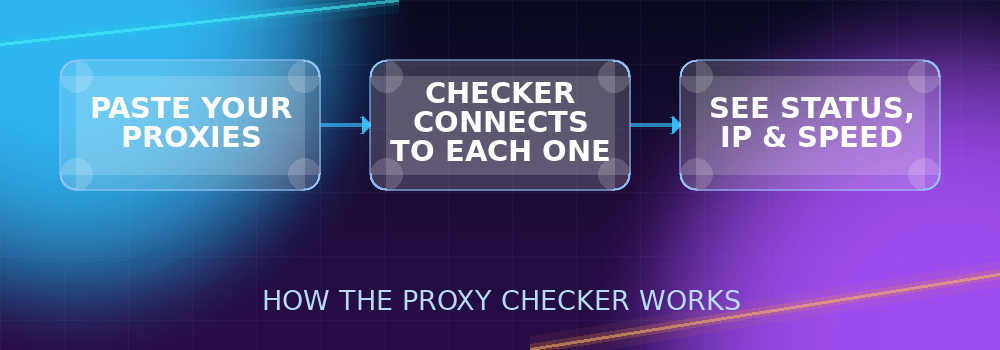
For anything beyond a single proxy, a dedicated checker is dramatically faster: the Proxy Checker tool on this site lets you paste in a whole list at once — up to 30 per batch — pick the protocol and format your list uses, and it connects through every one of them in parallel, typically finishing in just a few seconds. There's no installation and no account required, and nothing you submit is stored afterward.
To use it: paste your proxies (one per line), select whether they're HTTP, HTTPS, SOCKS4, or SOCKS5, choose the format matching your list (plain host:port, or one of the credential-included formats like host:port:username:password), and click Check Proxy. Each one is tested with a real connection to a live endpoint, not just a ping or a port-open check — which matters, because a proxy's port can technically be open while the proxy itself is misconfigured or refusing to actually forward traffic.
Understanding the results
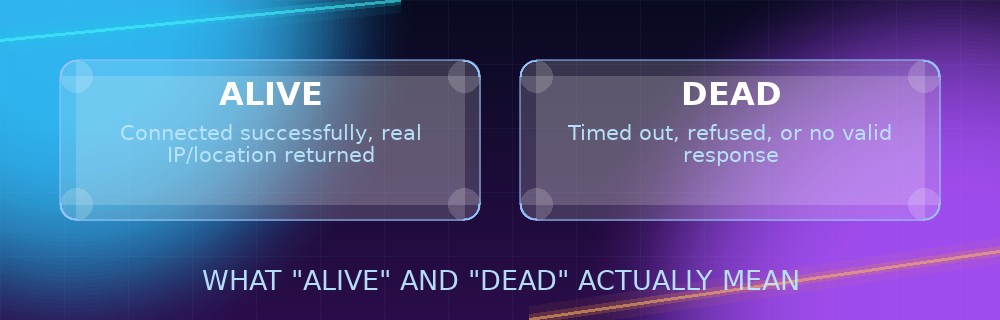
Each checked proxy comes back as one of two states:
- Alive: The checker successfully completed a real request through it. The IP, country, and city shown are read directly from that response — this is the proxy's actual current exit point, not just what a list claims.
- Dead: The connection failed, timed out, or didn't return a usable response. This doesn't necessarily mean the proxy is gone forever — it could be temporarily overloaded — but it means you shouldn't rely on it right now.
The checker also reports response time in milliseconds for every alive proxy, which doubles as a quick way to sort a batch by speed once you know which ones are actually usable. If a proxy you expected to work comes back dead, it's worth trying it again after a minute or two before writing it off entirely — a temporarily overloaded server can recover, while a genuinely offline one won't.
Automating repeat checks
If you regularly work with the same rotation of proxies, checking them one at a time in a browser gets old fast — and even the web-based Proxy Checker requires a manual visit each time. For a workflow that needs to verify proxies on a schedule (before each scraping run, for instance), the same underlying idea applies programmatically: send a real request through each proxy to a known endpoint, with a short timeout, and treat a successful response as "alive" and a timeout or error as "dead." Most HTTP client libraries (in whatever language you're automating with) support routing a request through a proxy directly, which makes it straightforward to build a small script that checks a batch and only keeps the ones that responded — the exact same logic the Proxy Checker tool runs, just wired into your own pipeline instead of a browser.
Quick answers to common questions
Why does the checker say a proxy is dead when I can still browse through it?
This usually means the proxy is intermittently overloaded — able to handle some requests but not the specific one the checker sent, or timing out under the checker's stricter time limit. Try again after a short wait.
Can a proxy be "alive" but still unsafe to use?
Yes — "alive" only confirms it's currently forwarding traffic successfully, not who operates it or how trustworthy it is. Treat every free proxy as unverified regardless of its status, and avoid sensitive logins or payments through any of them.
Does a fast response time guarantee a good proxy?
Not on its own — a proxy can be fast but unreliable (low uptime) or fast but geographically wrong for your needs. Check response time alongside uptime and location together, not in isolation.
How often should I re-check a proxy I use regularly?
Right before each use is safest, given how quickly free proxies can change status. At minimum, re-check daily if you're relying on the same one repeatedly.
Is a dead proxy worth trying again later?
Often, yes. A proxy that fails a check because it's temporarily overloaded can recover within minutes or hours, so it's reasonable to re-test one that mattered to you rather than discarding it permanently after a single failed check — just don't build a workflow that depends on any one specific proxy staying available long-term.
Does the checker slow down or affect the proxy itself?
No — a check is a single lightweight request, comparable to loading one small page through the proxy. It has no more impact on the proxy than any other brief, normal use would.
Best practices for reliable results
- Re-check before every session, not just once. A proxy's status can change within minutes, so "it worked earlier" isn't a guarantee.
- Test in the same batch you plan to use. If you're rotating through several proxies for a task, check all of them together right before starting rather than relying on an old check.
- Keep more candidates than you need. If a task requires 3 working proxies, check 6–8 — some will inevitably be dead, especially from a free list.
- Match the format to your list exactly. A parsing mismatch (picking the wrong format) will show every proxy as invalid even if they're genuinely fine — double-check the format dropdown matches how your list is structured.
- Don't over-trust a single check. A proxy that just passed can still fail moments later under real usage, especially if that usage is heavier than a quick verification request — treat "alive" as "currently reachable," not as a permanent guarantee.
Free proxies are a moving target by nature, but checking before you rely on one takes seconds and saves the much bigger time cost of debugging a connection that was never going to work in the first place.